Pipeline
Quote to bind, one board
Track every deal from first call to bound policy. See every deal's stage at a glance.
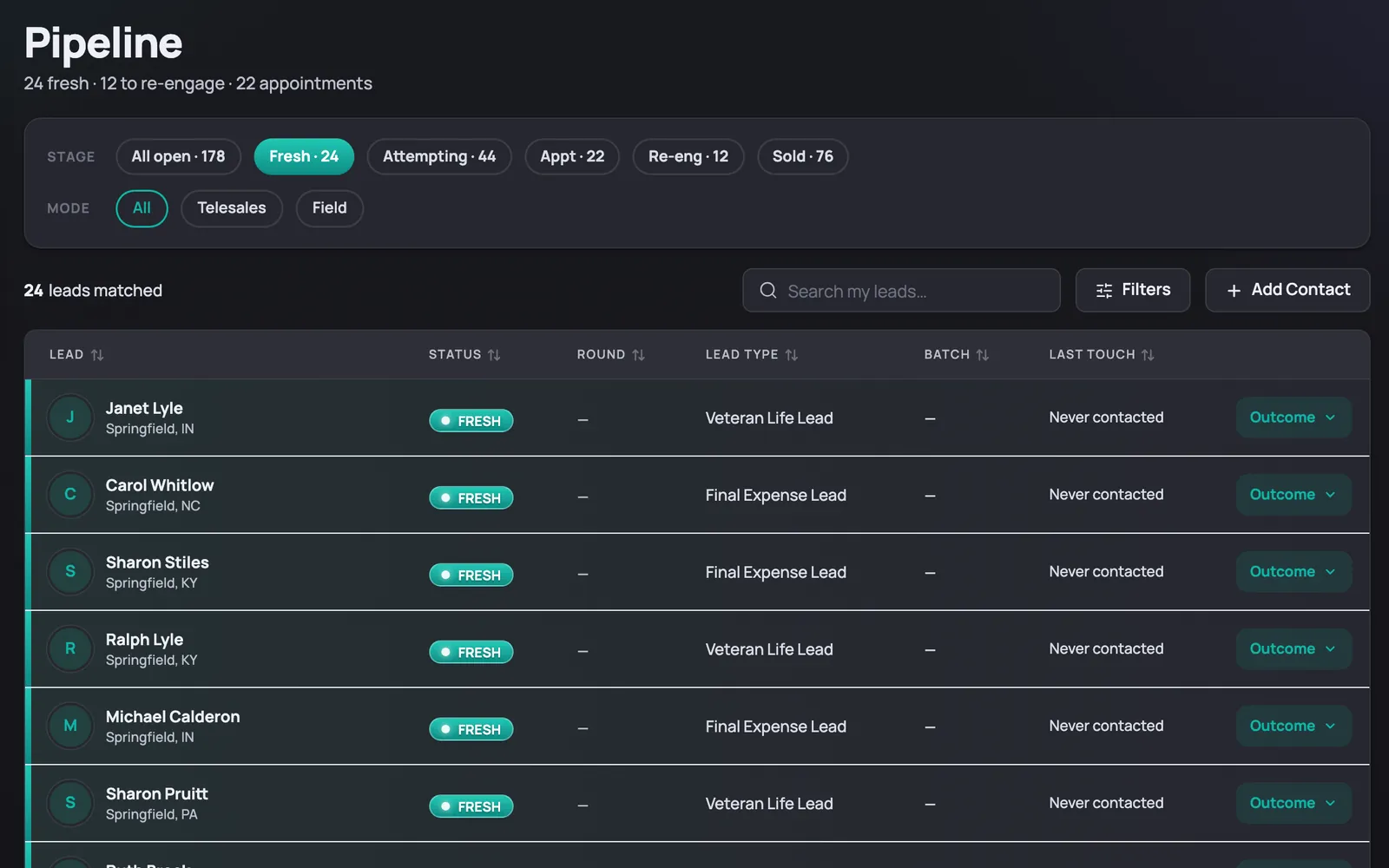
Filter to what matters
Stage chips narrow the list to New, Assigned, Attempting, Appointment, Re-engage, or Sold in one click. A Filters drawer narrows further by lead type.
On screenStage chips filter the list in one click.
Log an outcome, fast
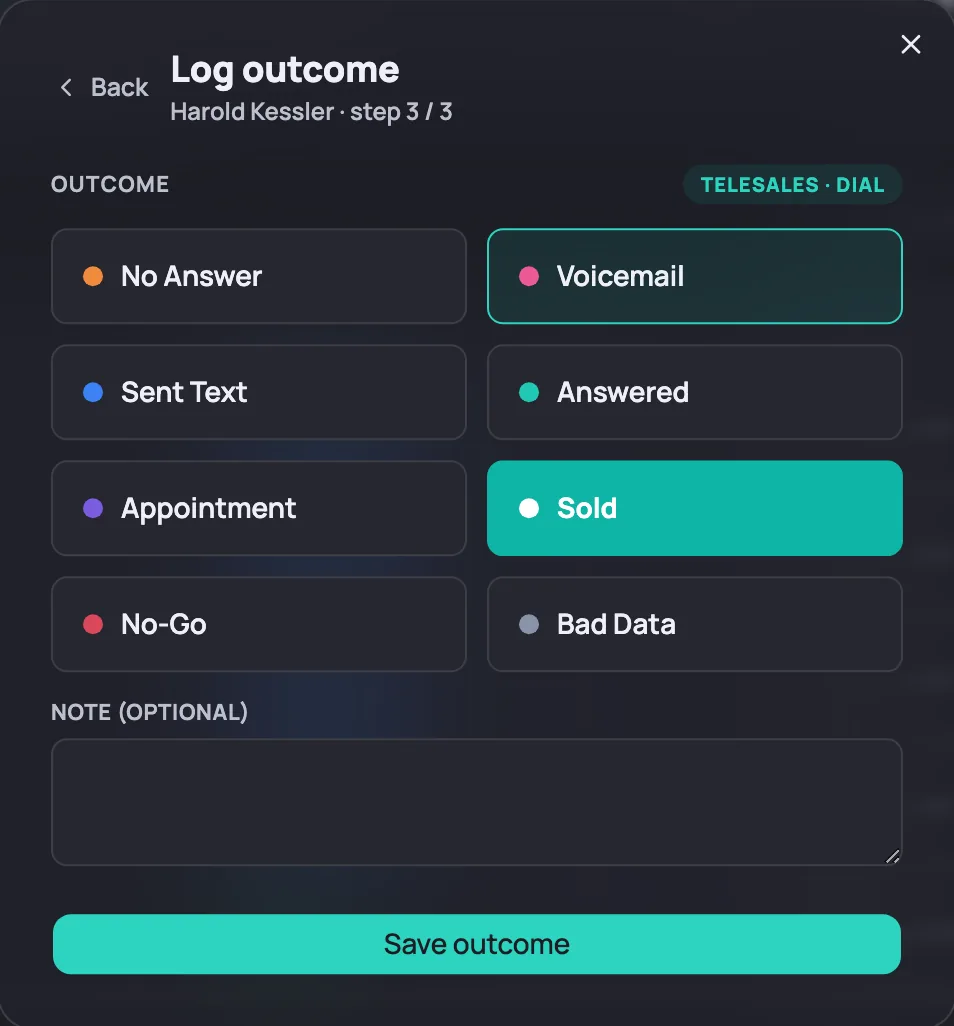
The Outcome flow logs no answer, voicemail, or answered, sets an appointment, or records a sale, in a few taps. No separate screen to remember.
On screenThe Outcome flow logs a dial outcome and can schedule an appointment in one step.
See where you stand
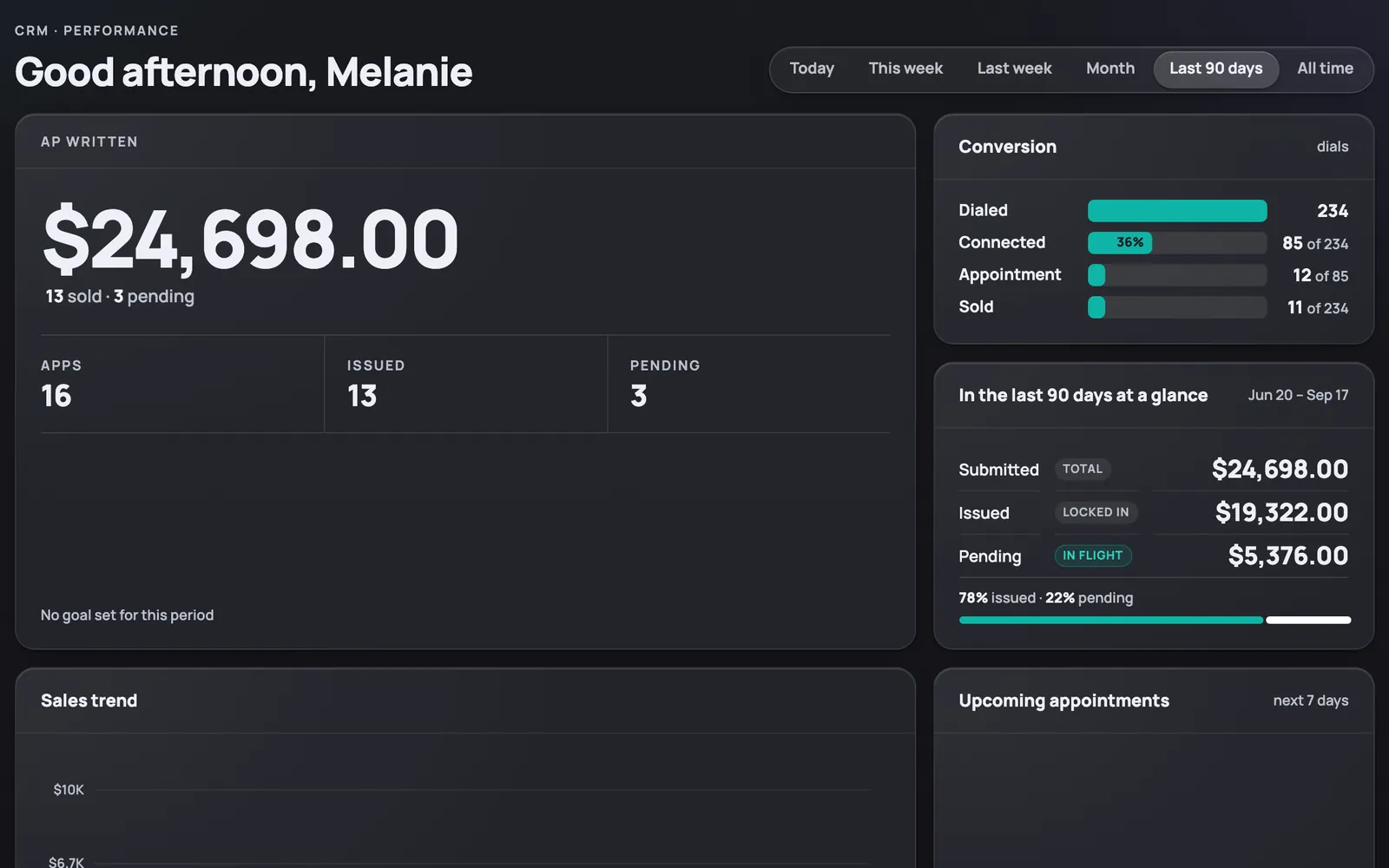
The dashboard totals AP written and apps issued and pending for the week. A Conversion panel lines up dialed, connected, appointment, and sold side by side.
On screenThe dashboard's Conversion panel tracks dialed, connected, appointment, and sold.