Book of business
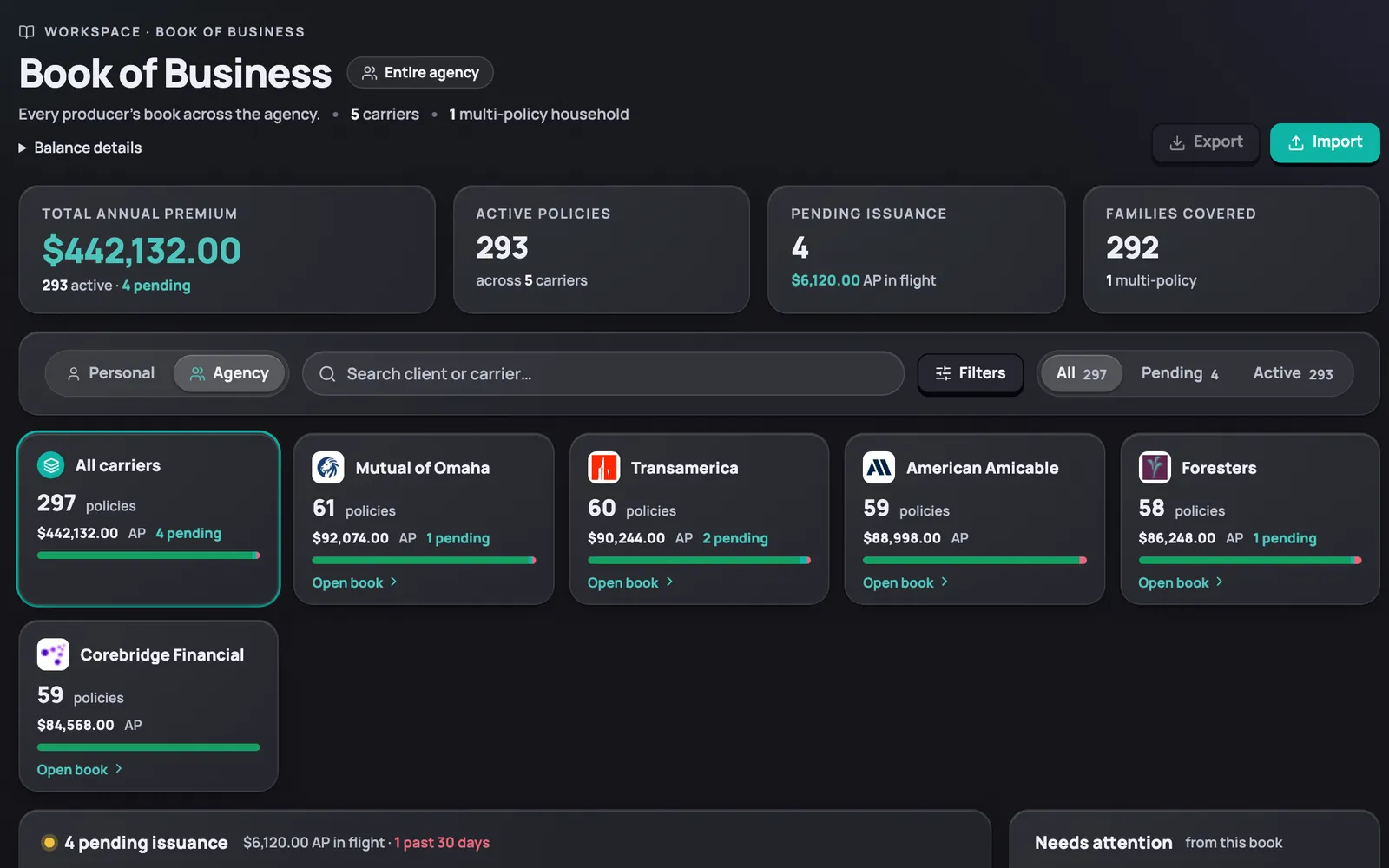
Your whole book, one ledger
Every policy, premium, and renewal lives in one place. See what's in force, what's pending, and what's about to lapse.
Grouped the way you think
Policies are grouped by carrier, agent, and product line, with active and pending counts up top. An owner can flip to the whole agency's book, grouped the same way.
On screenActive, pending, and lapsed counts sit at the top of the book, and an Agency view groups by carrier and agent.
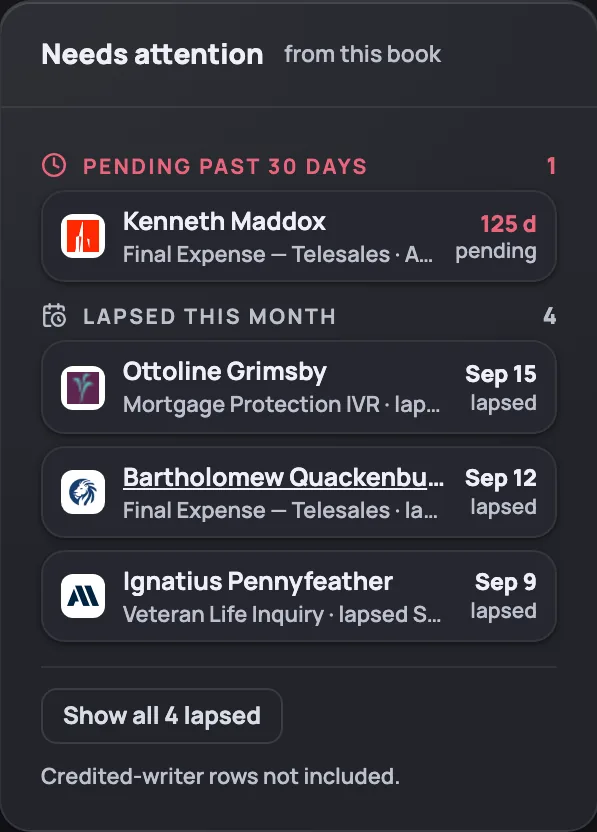
Needs attention, before it's late
A Needs attention panel flags policies lapsing this month, so nothing slips past unnoticed. Open the flagged policy and you land on the exact client record.
On screenThe Needs attention panel surfaces policies lapsing this month.
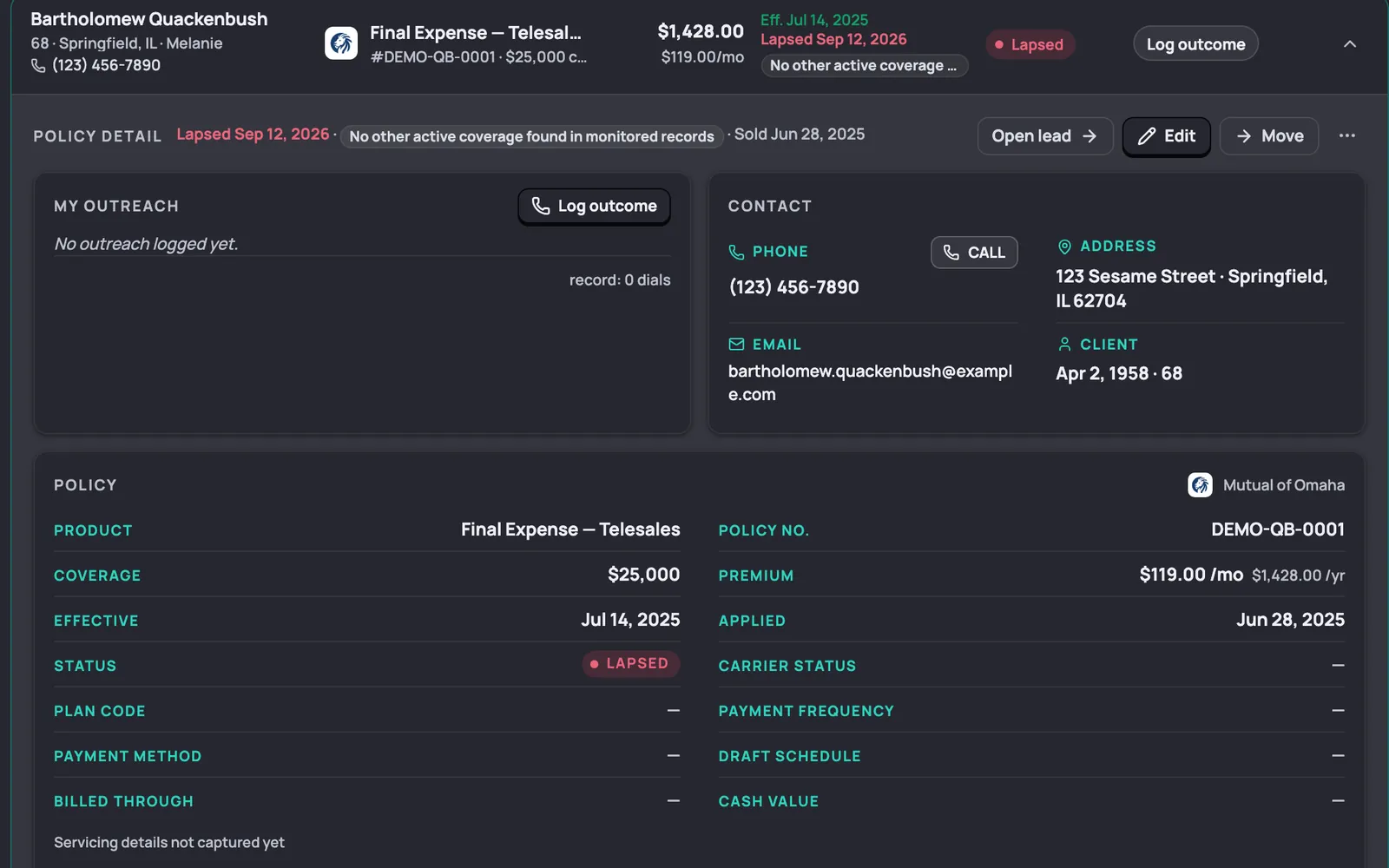
Everything about the policy
Each record shows effective and lapsed dates, premium, and carrier, plus the client's contact card. Tap Call and you're dialing the client straight from the record.
On screenThe client's contact card includes a Call button that dials directly.